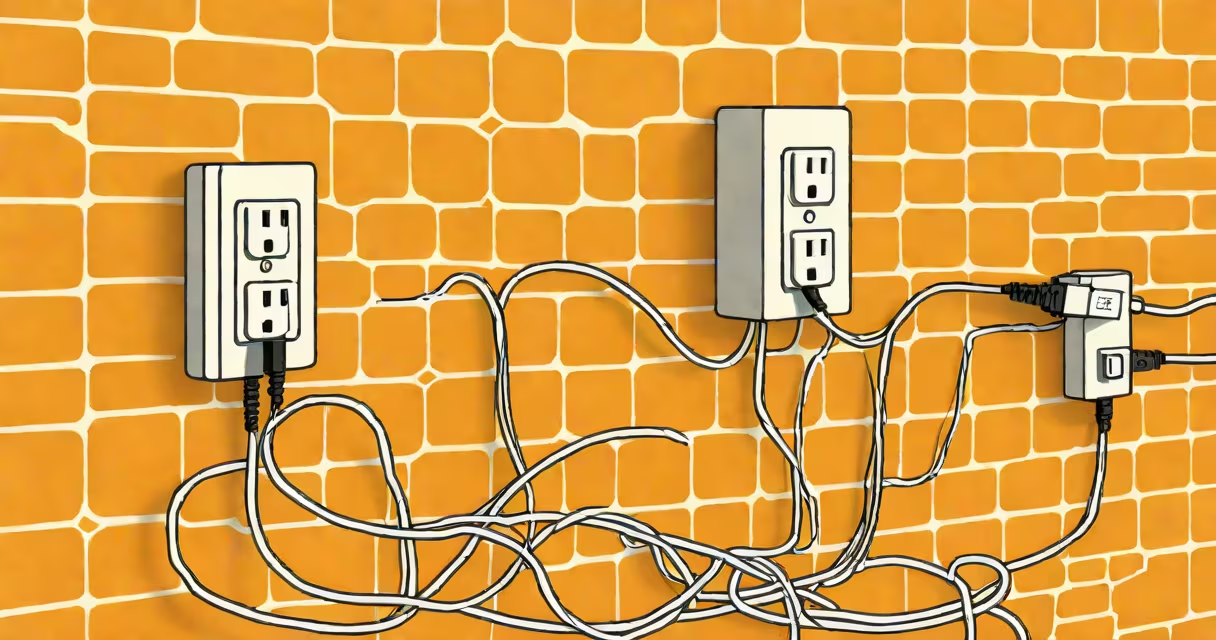
A power internet adapter uses existing household electrical wiring to extend a wired network connection beyond the reach of standard Ethernet cables. It transmits data through walls and floors via the home's electrical system, enabling network access in rooms without Ethernet ports.
These devices work in pairs: one connects to your router via Ethernet and plugs into a wall outlet, while the second unit plugs into a different outlet and provides a wired network port. Data travels from the first adapter through the home's electrical circuit, then to the second adapter, which delivers a stable Ethernet connection. This method bypasses the limitations of Wi-Fi range and avoids the need for running new cables.
Power internet adapters are commonly used to connect devices like smart TVs, gaming consoles, or security cameras in areas with weak Wi-Fi signals. They offer lower latency and higher reliability than wireless connections, especially in homes with thick walls or multiple floors. The technology behind them is known as powerline networking, standardized under HomePlug AV and newer variants.
Each adapter contains a microprocessor and a modulator-demodulator (modem) chip that encodes data into high-frequency electrical signals. These signals ride on the 50-60 Hz AC current already flowing through your home's wiring. The receiving adapter decodes the signal and outputs it as a standard Ethernet packet.
Modern adapters support speeds up to 1 Gbps, though actual throughput depends on wiring quality, distance, and interference. Older models may only deliver 200 Mbps. For best results, avoid plugging adapters into power strips or surge protectors, which can filter out the high-frequency signals. Instead, plug them directly into wall outlets.
Signal strength degrades over long distances or through circuits split by a breaker panel. A single circuit typically supports 30-50 meters of reliable transmission. If the two adapters are on different circuits, performance drops due to isolation by the main panel.
Power internet adapters come in several performance tiers based on speed, frequency band, and encryption standards. The most common standards are HomePlug AV (up to 200 Mbps), HomePlug AV2 (up to 1 Gbps), and the newer HomePlug Green PHY (optimized for low power).
| Standard | Max Speed | Frequency Range | Encryption | Use Case |
|---|---|---|---|---|
| HomePlug AV | 200 Mbps | 2-28 MHz | 128-bit AES | Basic streaming, older devices |
| HomePlug AV2 | 1 Gbps | 2-30 MHz | 128-bit AES | 4K video, gaming, large file transfers |
| HomePlug Green PHY | 200 Mbps | 2-28 MHz | 128-bit AES | Low-power applications, energy monitoring |
For consistent performance, both adapters must operate on the same standard. Mixing AV and AV2 units results in the slower speed of the older standard. Some models include additional features like USB ports for shared storage or built-in Wi-Fi access points.
Security is built into the protocol. All HomePlug devices encrypt traffic using 128-bit AES, preventing eavesdropping on neighboring homes' networks. However, encryption is only effective if both adapters are set to the same password during pairing. Without proper configuration, unauthorized users on the same electrical circuit could potentially intercept data.
Many assume power internet adapters provide the same reliability as direct Ethernet cables. In reality, performance varies widely based on electrical noise, wiring age, and circuit layout. A 2022 study by IEEE found that 34% of homes experienced reduced throughput due to interference from appliances like microwaves and refrigerators.
Another misconception is that these adapters work across all electrical circuits. They do not. If the two adapters are on different branch circuits (e.g., one on the kitchen circuit, one on the bedroom circuit), the signal often fails or drops below 10 Mbps. This is because the main electrical panel isolates circuits for safety and load balancing.
Some users expect instant setup. While the process is simple-plug in, pair, connect-the initial handshake can take up to 30 seconds. If the lights remain blinking, try moving the adapters to different outlets or avoid using extension cords. Powerline networks also don't support VLAN tagging or QoS prioritization, limiting their use in advanced networking environments.
In my home, the main router is in the basement, and the home office is on the second floor. The Wi-Fi signal was weak, dropping from 80 Mbps to 15 Mbps during video calls. I installed a pair of TP-Link AV2000 power internet adapters-one near the router, one in the office.
After connecting the first adapter to the router via Ethernet and plugging both into wall outlets, the second adapter delivered a stable 300 Mbps connection. I ran a speed test using iperf3: download speed averaged 292 Mbps, upload 278 Mbps. Latency remained under 5 ms during peak hours.
The setup eliminated buffering during Zoom meetings and allowed me to stream 4K content without interruption. I did not need to run cables through walls or install a Wi-Fi extender. The entire process took less than 10 minutes.
For users with complex setups, such as multi-room audio systems or IP surveillance, power internet adapters offer a practical alternative to mesh Wi-Fi. They're particularly useful in rental properties where drilling holes is prohibited.
Use a power internet adapter when you need a wired connection in a room without Ethernet access, especially if Wi-Fi coverage is poor. Ideal scenarios include:
They are not ideal for outdoor use, high-security environments, or situations requiring high bandwidth consistency. For those cases, fiber-optic or dedicated Ethernet runs are better choices.
If you're setting up a network over power adapter, ensure both units are on the same electrical circuit. Test the connection with a speed test tool. For larger homes, consider using multiple pairs to create a daisy-chain network.