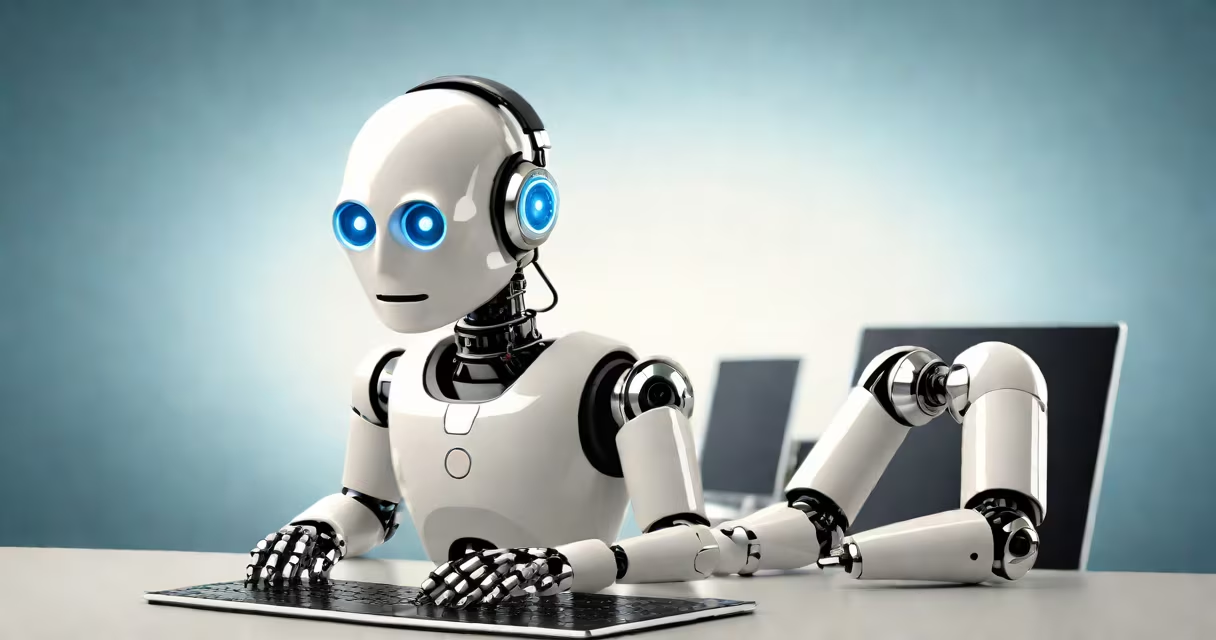
A chatbot processes user input through text or voice and generates contextually relevant responses using predefined rules or artificial intelligence. It automates interactions in messaging platforms, websites, and apps to deliver instant replies, assist with tasks, or route inquiries.
Chatbots operate by analyzing input-whether typed or spoken-and matching it to stored patterns or generating replies via machine learning models. They don't think like humans but simulate understanding by drawing from vast datasets of conversations. Their actions range from answering FAQs to completing transactions, such as booking appointments or processing orders.
For example, a retail website's chatbot can respond to "Where's my order?" by pulling tracking details from a database. It doesn't require human intervention, reducing wait times and handling multiple requests simultaneously. This function is common across e-commerce, banking, healthcare, and tech support.
When a user types "I forgot my password," the chatbot parses the sentence, identifies intent (password reset), and triggers a response flow. It may ask for the email address, validate it against the system, and send a recovery link-all within seconds.
Rule-based bots follow decision trees. If the user says "I want to return an item," the bot checks whether the return window is open. If yes, it provides a form link. If not, it explains the policy. These bots work well for predictable, high-volume queries.
AI-powered chatbots, like those trained on large language models, go further. They understand ambiguous phrasing, infer context, and generate natural-sounding replies. For instance, "Can I get a refund if the shirt doesn't fit?" leads to a tailored answer based on return policies, even if the wording varies from standard phrases.
Chatbots perform several core tasks across industries:
Healthcare providers use chatbots to schedule appointments, remind patients of medication, or triage symptoms. A mental health app might guide users through breathing exercises or suggest resources based on mood entries.
One real-world example is Bank of America's Erica, a virtual assistant that analyzes spending habits, sets savings goals, and alerts users to unusual activity. It processed over 10 million user interactions monthly in 2023, according to company reports.
Not all chatbots are the same. The primary distinction lies in how they make decisions:
| Type | How It Works | Best For | Limitation |
|---|---|---|---|
| Rule-Based | Follows pre-written logic paths. Responds only to matched keywords or phrases. | Simple, repetitive tasks like FAQ responses. | Fails with unexpected inputs or complex phrasing. |
| AI-Powered | Uses NLP and machine learning to understand context and generate changing replies. | Conversations requiring adaptation, such as troubleshooting or personalized advice. | Requires training data and ongoing tuning to avoid errors. |
| Hybrid | Combines rule-based flows with AI for accuracy and scalability. | High-volume support with detailed needs, like travel booking or insurance claims. | More complex to build and maintain. |
Many businesses deploy hybrid systems. For example, a travel site might use rules to confirm flight dates but switch to AI when a user asks, "Can I change my seat after check-in?" The AI interprets the request and checks airline policies in real time.
People often assume chatbots are sentient or capable of emotional connection. They are not. A chatbot cannot feel empathy, but it can simulate concern using scripted phrases like "I'm sorry to hear that." This is a design choice, not a cognitive ability.
Another misconception is that all chatbots are powered by GPT-like models. While large language models drive many advanced bots, most basic ones rely on simple keyword matching. A chatbot on a university's admissions page may only recognize "application deadline" and reply with a date-without understanding the full sentence structure.
Chatbots don't replace human agents-they reduce workload. According to a 2023 report by Salesforce, 64% of customers expect chatbots to resolve simple issues instantly, but 85% still prefer speaking to a person for complex problems. Bots handle 70% of routine queries, freeing staff for higher-value tasks.
Consider a software company with 5,000 users. Without a chatbot, support teams receive 300 daily tickets for login issues, password resets, and feature questions. With a chatbot integrated into their help portal:
This process resolves 60% of login issues without human involvement. The remaining cases are prioritized based on urgency, improving response time by 40%.
I built a rule-based chatbot for a local library's website in 2022. It answered questions about hours, book returns, and event schedules. After three months, it handled 80% of incoming queries, cutting staff time spent on basic questions by nearly half.
Chatbots differ from voice assistants like Siri or Alexa in scope and deployment. Voice assistants run on devices and manage personal tasks (e.g., setting alarms). Chatbots typically exist within web or app interfaces and focus on specific services-customer support, sales, or internal workflows.
They also aren't the same as automated email responders. An email autoresponder sends a static message when triggered. A chatbot engages in multi-turn dialogues, remembers past exchanges, and adapts responses based on context.
Finally, while some chatbots use generative AI, not all do. The term "chatbot" applies to both simple and complex systems. A bot that only replies with "Please contact support" is still a chatbot-it just lacks advanced capabilities.
Understanding what a chatbot does helps set realistic expectations. It's a tool for automation, not a replacement for human judgment. When designed well, it improves access, reduces friction, and scales support without proportional staffing increases.