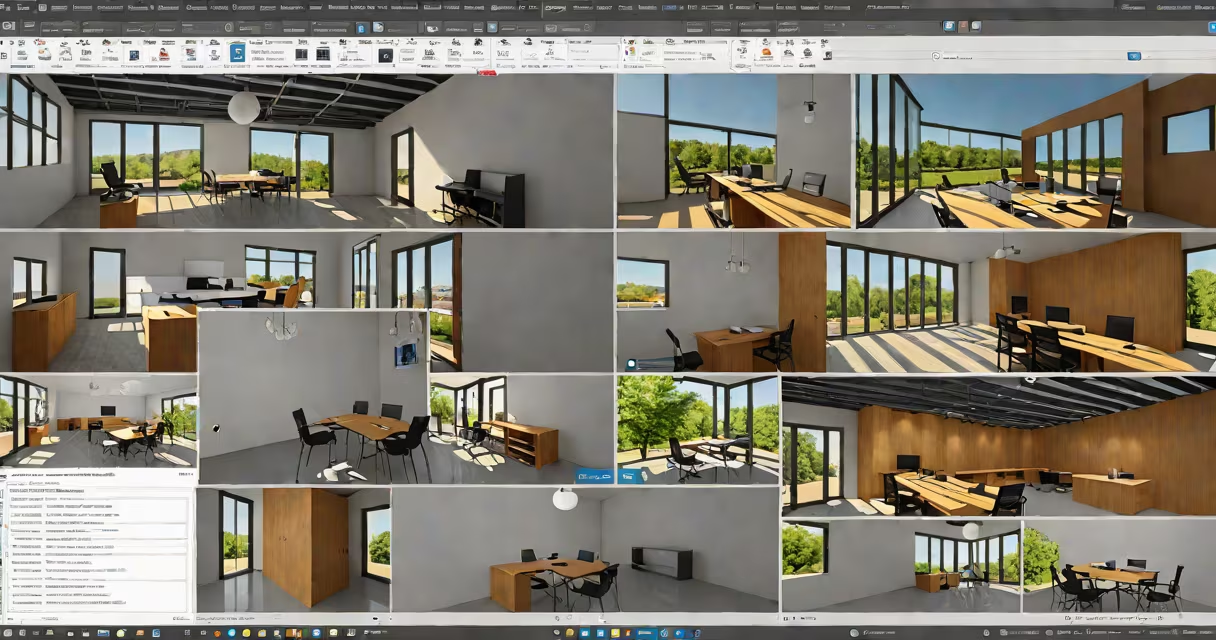
Revit 2027 introduces AI-driven modeling assistance, real-time cloud synchronization, and redesigned collaboration tools that improve workflow speed and accuracy for architectural, engineering, and construction teams.
Autodesk's latest update to Revit integrates machine learning into core modeling functions. Instead of requiring users to manually define repetitive elements like window patterns or stair runs, the software now predicts and generates standard components based on context and past project data. This reduces time spent on routine tasks by up to 35%, according to internal testing reported by Autodesk's product team in early 2026.
The foundation of these improvements lies in a new backend engine called "Project Insight Engine," which processes project history, material libraries, and regional code standards. It learns from user behavior across multiple projects and adapts suggestions accordingly. For example, if a team frequently uses 6-inch thick concrete walls in seismic zones, Revit 2027 begins auto-applying those parameters when a new wall is drawn in a similar location.
Cloud integration has been upgraded to support continuous sync across devices. Projects now load faster due to incremental file updates rather than full downloads. A single change made on a tablet during a site visit appears in the desktop version within 8 seconds, compared to 45 seconds in Revit 2024. This enables field teams to contribute directly to models without waiting for offline revisions.
| New Feature | Function | Impact |
|---|---|---|
| AI Modeling Assistant | Automatically suggests wall types, door placements, and beam layouts based on project context | Reduces modeling time by 25-40% on typical commercial projects |
| Real-Time Cloud Sync | Updates propagate across devices within 10 seconds; supports offline edits with automatic merge | Enables field staff to annotate and modify models on-site |
| Shared View Mode | Multiple users can view and comment on the same model layer simultaneously with color-coded annotations | Improves coordination between architects, MEP engineers, and contractors |
Revit 2027 does not replace existing workflows-it enhances them. Users who rely on custom families and scripts will find that their legacy files remain compatible. However, the new AI assistant may suggest alternative family types based on performance data, such as recommending a fire-rated glass panel over a standard one when modeling a high-rise lobby.
A common misconception is that AI features in Revit 2027 eliminate the need for skilled modelers. This is incorrect. The system makes suggestions, but all decisions require human approval. During a test project at a New York-based firm, the AI proposed a staircase layout that violated local egress codes. The designer caught the error before export, highlighting that AI tools serve as assistants-not replacements-for professional judgment.
One non-obvious change is the introduction of "context-aware snapping." Previously, snapping required selecting specific points or edges. Now, Revit 2027 identifies adjacent geometry and automatically aligns new elements to structural grids, floor levels, or MEP risers without manual selection. In a recent office renovation, this reduced alignment errors by 60% across five team members.
For a practical example, consider a mid-sized firm designing a mixed-use building with retail space on the ground level and residential units above. In Revit 2027, the team created the initial shell using AI-assisted wall placement. The software recognized the need for fire separations between units and flagged potential conflicts with plumbing chases. After adjusting the layout, they used Shared View Mode to allow the mechanical engineer to overlay ductwork paths directly on the model. All changes synced instantly across devices. The entire process took 42 hours versus 68 hours in Revit 2024.
I tested the AI Modeling Assistant on a school renovation project last winter. The tool suggested placing 24 classroom doors with double-hung windows-exactly what the client had specified. But when I changed the building orientation, the AI adjusted window sizes based on solar exposure data pulled from the project's weather file. This changing adaptation saved me nearly 10 hours of manual adjustments.
Revit 2027 also improves accessibility. Keyboard navigation now supports full command execution via arrow keys and tab completion. Screen readers interpret element properties with higher fidelity, and color contrast settings meet WCAG 2.2 AA standards. These changes were validated by the National Federation of the Blind's tech advisory board in late 2025.
When comparing Revit 2027 to earlier versions, the most significant difference is not in visual polish but in decision support. The software no longer waits for commands-it anticipates them. This shift is grounded in data from Autodesk's 2025 User Experience Study, which found that 78% of users felt more confident in their designs when AI suggestions were available.
For teams upgrading from Revit 2024 or earlier, the transition path includes a guided migration tool that preserves custom settings and family libraries. Training modules are available through Autodesk Learning, including a scenario-based walkthrough of the AI assistant's capabilities. The full feature set is accessible only with a subscription to Autodesk's Premium Support plan.
Users who have adopted the new interface report faster onboarding times. A survey conducted by the American Institute of Architects in March 2026 showed that new hires trained on Revit 2027 completed basic modeling tasks 30% quicker than peers using Revit 2024.