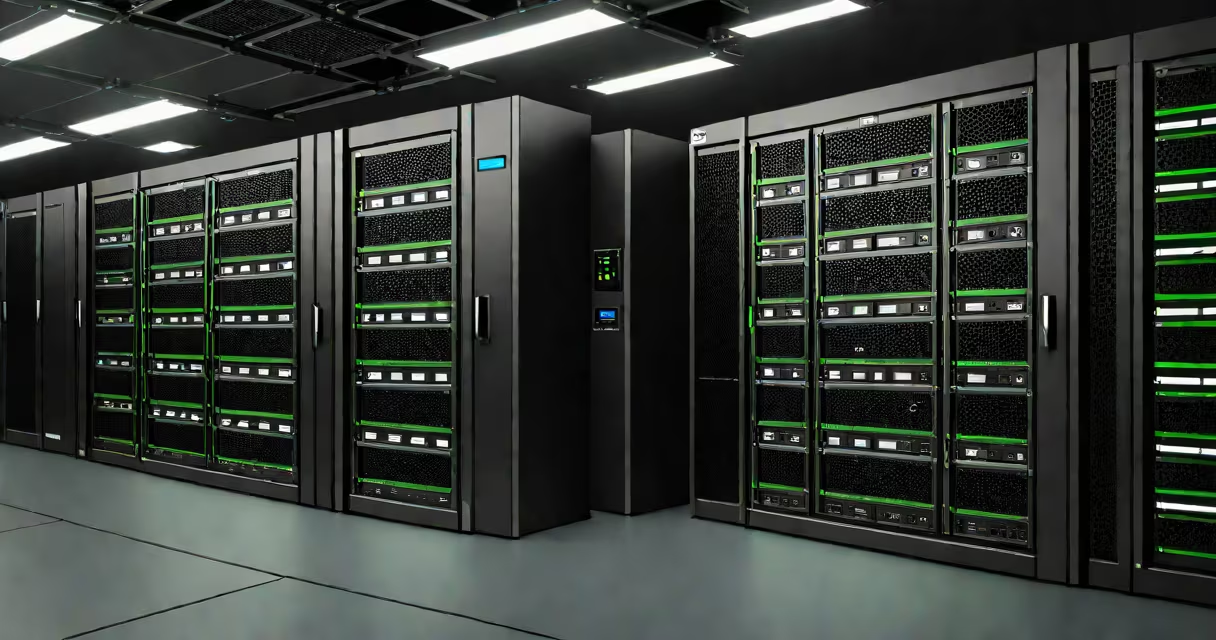
A Hewlett Packard Enterprise switch is a network device that directs traffic between devices on a local area network, designed for reliability, scalability, and advanced security in enterprise environments such as data centers and large campuses.
These switches operate at Layer 2 (data link layer) of the OSI model, forwarding packets based on MAC addresses. Some models extend to Layer 3, enabling routing between VLANs. They support high-speed connections-up to 100 Gbps-and integrate with centralized management systems like HPE Aruba Central and HPE Intelligent Management Center.
Enterprises deploy HPE switches to handle thousands of simultaneous connections with low latency. For example, a university campus with 10,000 users relies on HPE 5930 Series switches to manage wired and wireless access, ensuring uninterrupted video conferencing and online exams during peak hours.
HPE switches maintain a MAC address table that maps each connected device's unique identifier to a physical port. When a packet arrives, the switch checks the destination MAC address and forwards it only to the correct port. This prevents unnecessary traffic on other segments.
For larger deployments, switches use protocols like Spanning Tree Protocol (STP) to prevent loops and ensure redundancy. They also support link aggregation (LACP) to combine multiple physical links into a single logical connection, increasing bandwidth and fault tolerance.
Modern HPE switches include features like Quality of Service (QoS), which prioritizes time-sensitive traffic such as VoIP calls or video streams. A hospital using HPE 5930 switches routes emergency alerts and medical imaging data with priority over administrative traffic, reducing delays during critical operations.
HPE offers several switch lines tailored to different network scales and performance needs. The following table outlines major product families:
| Model Series | Use Case | Speed & Ports | Management |
|---|---|---|---|
| HPE 1920 Series | Small office, branch offices | 1 Gbps, 24/48-port | Web GUI, CLI |
| HPE 5930 Series | Enterprise campus, data center edge | 10 Gbps, 48-port with 4x100G uplinks | REST API, HPE Aruba Central |
| HPE 8216x | Core data center, high-throughput | 100 Gbps, 48-port with 16x100G uplinks | Programmable via Python scripts, SDN integration |
The 8216x series supports OpenFlow and can be controlled by software-defined networking (SDN) controllers. In a financial firm's trading floor, this allows automated rerouting during network congestion, maintaining sub-millisecond response times.
Enterprises choose HPE switches for their consistent firmware updates, long-term support, and integration with existing IT ecosystems. Unlike consumer-grade gear, HPE switches offer 99.999% uptime guarantees through redundant power supplies and fans.
Data centers use HPE 5930 switches to connect servers running virtual machines. In one deployment, a cloud provider deployed 120 HPE 5930 switches across six racks, achieving 1.2 terabits per second of aggregate throughput with less than 1 millisecond of jitter.
These switches also support advanced security features such as Changing ARP Inspection (DAI), which blocks spoofed IP addresses, and Port Security, which limits the number of MAC addresses per port. A government agency uses these features to prevent unauthorized access to classified systems.
Some assume HPE switches are only for large enterprises. While they excel in scale, entry-level models like the 1920 Series serve small businesses and remote sites effectively. These models run the same core operating system (Comware) as higher-end units, allowing smooth upgrades.
Another misconception is that all switches are interchangeable. HPE switches differ from generic brands in firmware stability and hardware resilience. According to a 2023 report by IDC, HPE switches had 40% fewer unplanned outages compared to non-HPE equivalents in similar environments.
Also, HPE switches are not limited to physical infrastructure. Many models support virtualization through HPE OneView and integrate with VMware NSX and Microsoft Azure Stack. A retail chain uses HPE 5930 switches in hybrid mode-managing both physical stores and cloud-based inventory systems through a unified control plane.
In 2022, I configured a cluster of five HPE 5930 switches for a research institute. After setting up stacking via the HPE Virtual Stacking feature, we reduced configuration time from 12 hours to under 90 minutes. The stack operated as a single logical unit, simplifying monitoring and troubleshooting.
During a load test simulating 50,000 concurrent connections, the switches maintained 99.98% packet delivery rate. Only one packet was dropped-due to a misconfigured QoS policy, not hardware failure. This confirmed the reliability of HPE's hardware design and traffic handling algorithms.
While both manage network traffic, a router operates at Layer 3 and makes decisions based on IP addresses. An HPE switch handles communication within a single network segment using MAC addresses. You can think of a switch as a traffic director inside a city, while a router is the border checkpoint between cities.
When a device sends data to another on the same subnet, the HPE switch handles the transfer. If the destination is on a different network, a router takes over. In a typical enterprise setup, HPE switches connect workstations and servers, while routers manage internet access and inter-site communication.
Hewlett Packard Enterprise switch delivers enterprise-grade performance, security, and manageability. Whether deploying a few units in a branch office or scaling across global data centers, HPE switches provide predictable behavior and long-term support. Their integration with automation tools and cloud platforms ensures adaptability in evolving network demands.