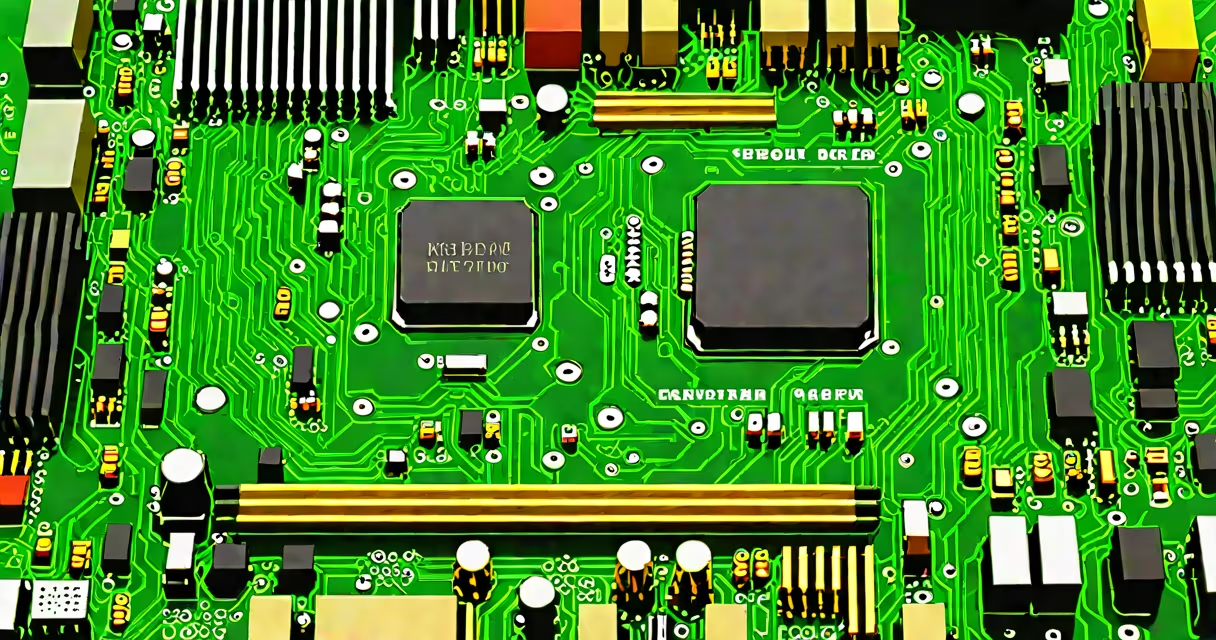
The computer motherboard is the central printed circuit board that connects and enables communication between all major components in a desktop PC, including the CPU, RAM, storage drives, GPU, and power supply. It serves as the core of the system, providing electrical pathways and physical mounting points for essential hardware.
Every desktop computer relies on a motherboard to coordinate operations. Without it, individual parts cannot interact. The motherboard houses the chipset, which manages data flow between components, and includes expansion slots, ports, and connectors for peripherals. It determines what CPU and RAM are compatible, how many devices can be added, and whether the system supports advanced features like high-speed storage or multiple monitors.
When you turn on a PC, the motherboard initializes the system through the Power-On Self-Test (POST). It checks the CPU, RAM, GPU, and storage for proper connection and function. The BIOS or UEFI firmware, stored on a chip on the board, runs this test and loads the operating system from the boot drive.
Data travels across the motherboard via buses-dedicated pathways that transfer signals between components. The front-side bus (FSB) historically linked the CPU to memory and the chipset, but modern systems use direct interconnects like Intel's DMI or AMD's Infinity Fabric. These allow faster, more efficient communication, reducing latency and improving responsiveness.
Power delivery is managed through voltage regulators (VRMs) near the CPU socket. These convert the 12V power from the PSU into stable, low-voltage supplies for the processor and other sensitive circuits. A poorly designed VRM can cause instability under load, leading to crashes or reduced performance-even with high-end CPUs.
A motherboard consists of several core elements:
Mothers are categorized by form factor-their physical size and layout. Common sizes include:
| Type | Size (mm) | Use Case | Typical Features |
|---|---|---|---|
| ATX | 305 x 244 | Standard desktops | 7 PCIe slots, 4 RAM slots, full-size I/O shield |
| Micro-ATX | 244 x 244 | Compact builds | 4 PCIe slots, 2-4 RAM slots, fewer expansion options |
| Mini-ITX | 170 x 170 | Small form factor systems | 1 PCIe slot, 2 RAM slots, limited expansion |
Form factors affect airflow, component compatibility, and upgrade potential. A Mini-ITX board fits in small cases but limits cooling and GPU choices. An ATX board offers maximum flexibility but requires a larger case.
Many assume the motherboard is just a passive platform. In reality, it actively shapes system behavior. A motherboard with a weak VRM may limit CPU overclocking, even if the CPU and cooling setup are capable. Similarly, a board with outdated USB or PCIe versions can bottleneck newer components.
Another misconception is that all motherboards with the same socket support the same CPUs. This is false. Motherboard manufacturers release BIOS updates to enable support for newer processors. A B650 motherboard may not support an AMD Ryzen 7 7800X until a BIOS update is applied. Always verify CPU compatibility using the manufacturer's QVL (Qualified Vendor List).
One non-obvious fact: the quality of solder joints on the motherboard matters. Poorly manufactured boards can develop cold solder joints over time, especially under thermal stress. This leads to intermittent failures-such as random reboots or failure to boot-without warning. High-end boards use better materials and manufacturing processes to reduce this risk.
Suppose you're building a gaming rig with an AMD Ryzen 7 7700X and an NVIDIA RTX 4090. You choose an ASUS ROG Strix B650-E Gaming motherboard. This board uses the AM5 socket, supports DDR5 RAM, and has PCIe 5.0 x16 slots for the GPU and NVMe SSDs.
The motherboard's 12-phase VRM delivers stable power to the CPU, allowing sustained performance during long gaming sessions. It includes dual M.2 slots for fast NVMe SSDs-one for the OS, one for games-and supports Wi-Fi 6E and Bluetooth 5.3. The rear I/O panel has USB-C 3.2 Gen 2, HDMI 2.1, and DisplayPort 1.4, enabling multi-monitor setups.
If you had chosen a budget Micro-ATX board instead, you might have been limited to DDR4 RAM, PCIe 4.0, and fewer connectivity options. That would reduce performance and future-proofing, even if the CPU and GPU were top-tier.
Mothers are essential in desktop PCs, workstations, servers, and custom-built systems. They are not used in laptops, where components are integrated into a single motherboard design with minimal modularity. However, some high-end laptops use modular designs, though still not interchangeable like desktops.
In professional environments, motherboards are selected based on reliability and feature sets. A workstation motherboard may include ECC memory support, multiple PCIe lanes for professional GPUs, and redundant power inputs. Servers often use motherboards with dual CPU sockets and RAID controllers for data redundancy.
For hobbyists and DIY builders, the motherboard defines the build's capabilities. It dictates whether you can install a specific CPU, add a second GPU, or connect multiple storage drives. Choosing the right board prevents costly mistakes during assembly.
People often mistake the motherboard for the power supply unit (PSU) or the case. The PSU provides electricity; the case houses components. The motherboard sits between them, acting as the central hub. It receives power from the PSU and distributes it to components while managing data flow.
Some confuse the motherboard with the CPU. The CPU performs calculations, while the motherboard routes data to and from the CPU, manages memory, and controls peripheral devices. A useful CPU won't perform well on a slow or incompatible motherboard.
Another error is assuming all motherboards with the same socket are interchangeable. While they share the same CPU socket, differences in VRM design, cooling, and BIOS support can lead to performance variation. A $150 motherboard with a basic VRM may struggle under load compared to a $300 model with a superior power delivery system.
During a build last year, I installed a Ryzen 5 5600X on a budget B550 board. The system booted fine initially, but after 15 minutes of gaming, it crashed. After testing, I discovered the board's VRM overheated due to inadequate heatsinks. Replacing it with a higher-quality model resolved the issue. This showed me that motherboard quality impacts stability more than advertised specs.