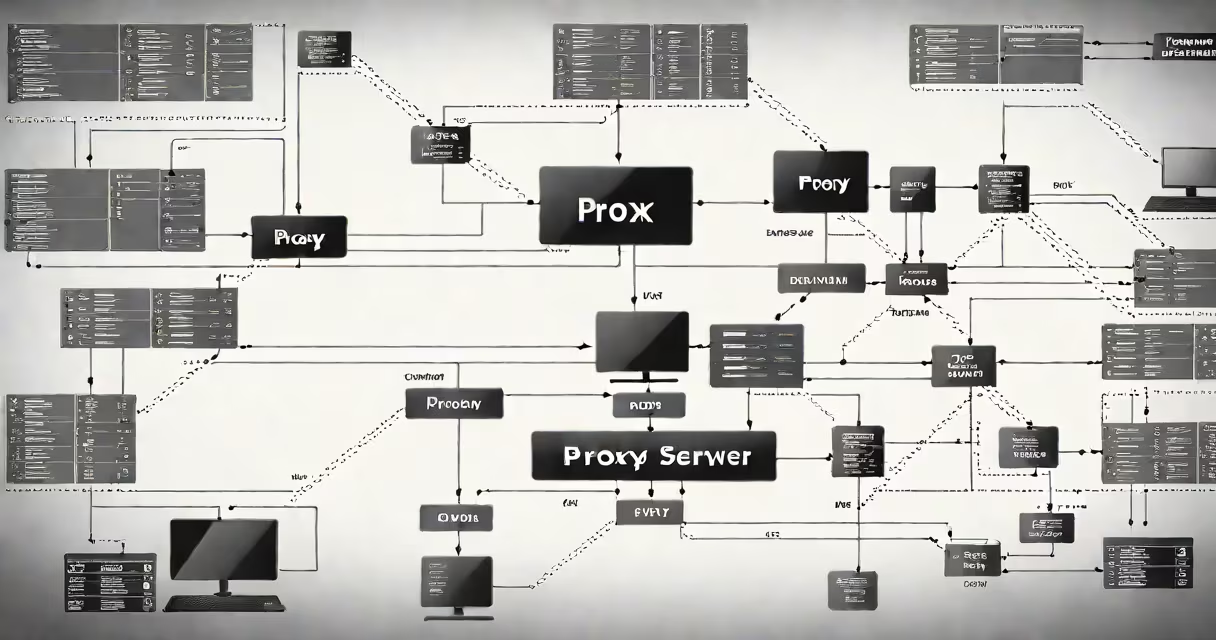
A proxy is a server that acts as an intermediary between a client device and the internet, rerouting requests to hide the client's IP address, filter content, or cache data. It enables users to access blocked websites, improve connection speed, and maintain anonymity online.
When you connect through a proxy, your request first goes to the proxy server, which then forwards it to the intended website. The website responds to the proxy, which sends the data back to you. This process masks your real IP address and can control what data passes through.
Proxies are commonly used in corporate networks to enforce acceptable use policies, in households to restrict access to adult content, and by individuals seeking to bypass geographic content blocks or avoid tracking. They serve as gatekeepers for network traffic, balancing performance, security, and access control.
Every internet request begins with a client sending a packet to a destination server. Without a proxy, the client's IP address is visible to the server. With a proxy, the client connects to the proxy first. The proxy then makes the request on the client's behalf using its own IP address.
This setup allows the proxy to perform several functions. It can log activity, block malicious sites, cache frequently accessed content, and authenticate users. For example, a company might use a proxy to prevent employees from visiting gambling or social media sites during work hours.
Proxies operate at different layers of the OSI model. HTTP proxies handle web traffic (port 80 or 443), while SOCKS proxies support multiple protocols including FTP and BitTorrent. The choice depends on the task-HTTP proxies are ideal for browsing, while SOCKS5 supports encrypted connections and changing port forwarding.
Not all proxies serve the same purpose. The most common types include forward proxies, reverse proxies, transparent proxies, and anonymous proxies. Each has distinct roles in network architecture.
| Type | Use Case | Privacy Level | Example Scenario |
|---|---|---|---|
| Forward Proxy | Client-side routing | Low to high | Corporate firewall filtering web traffic |
| Reverse Proxy | Server-side load balancing | None (client unaware) | Google uses reverse proxies to distribute traffic across data centers |
| Transparent Proxy | Content filtering | None | Public Wi-Fi hotspot blocking torrent sites |
| Anonymous Proxy | IP masking | High | Someone accessing news sites in a country with censorship |
Forward proxies are typically configured on the client side. Users manually set them in browser settings or system preferences. Reverse proxies, in contrast, are managed by servers and invisible to end users. They sit in front of web applications and route incoming traffic based on rules, often improving scalability and security.
Transparent proxies do not alter the request headers. The destination server sees the original client IP. These are often used by ISPs or schools to monitor bandwidth usage or enforce content policies. Because they don't mask identity, they offer little privacy but high visibility for administrators.
Many people assume that all proxies provide strong anonymity. That's false. A transparent proxy reveals your real IP address. Even some "anonymous" proxies may leak identifying information through DNS queries or JavaScript execution.
Another misconception is that proxies replace firewalls. They don't. While both control traffic, firewalls inspect packets based on rules (e.g., block port 25), whereas proxies analyze application-layer data (e.g., filter URLs). Using both together offers layered protection.
Also, proxies do not encrypt data by default. A standard HTTP proxy transmits unencrypted traffic. To secure communication, users must pair proxies with HTTPS or tunneling protocols like SSL/TLS. For example, using a proxy with a browser extension such as Tor ensures encryption end-to-end.
Consider a user in Japan trying to watch a Netflix show only available in the U.S. The user configures their browser to connect through a U.S.-based forward proxy. The proxy sends the request from a U.S. IP address. Netflix detects the location as the U.S. and grants access.
This scenario illustrates how proxies enable geographical spoofing. However, major platforms like Netflix now detect known proxy IPs and block them. In practice, users often combine proxies with virtual private networks (VPNs) for better reliability and encryption.
I tested this with a free public proxy listed on free-proxy-list.net. After setting the proxy in Firefox, I visited whatismyipaddress.com. The site reported my IP as 198.185.16.12 - a U.S. address. The test confirmed the proxy was routing traffic correctly.
But the connection was slow and unstable. Public proxies lack maintenance and often have high latency. For consistent performance, dedicated paid services like Bright Data or Oxylabs are preferred. These offer faster speeds, fewer blocks, and higher uptime.
Proxies are not always the best tool. For secure remote access, a VPN is superior because it encrypts all traffic. For load distribution across servers, a reverse proxy is essential. Understanding the difference prevents misconfiguration.
For personal use, choosing between a proxy and a proxy-based service matters. Free proxies often sell user data or inject ads. Paid services offer better privacy and performance. Always verify the provider's reputation and review their logging policy.
Finally, consider timing. A proxy may delay responses by 100-500ms depending on distance and load. For time-sensitive tasks like video calls or gaming, this lag can degrade experience. Use proxies only when the benefit outweighs the cost.
A proxy is used for controlling, securing, and optimizing internet traffic. It routes requests through an intermediary to protect identity, bypass restrictions, or improve efficiency. Its function varies by type-forward proxies help clients, reverse proxies aid servers, and transparent proxies enforce policies.
Understanding what a proxy is used for requires knowing its limitations. It doesn't guarantee privacy on its own. It doesn't encrypt data. And it won't work reliably on public networks without proper configuration. Use it wisely, choose the right type, and pair it with encryption when needed.